
See What Your Estate Is Really Costing You.
In Minutes. For Free.
Upload an RVTools (VMware) or Nutanix Collector export and Axiom instantly models your annual licensing exposure, checks your export for data quality gaps, runs the same 50-criteria risk engine used in our paid assessments, and previews your migration path candidates. No transition plan. No sales call. No cost.
Four real answers before you spend a dollar.
No mockups here — every number below comes from the same engines that power Axiom's paid Transformation Assessment.
Licensing Exposure Model
Your current annual VMware or Nutanix licensing spend, modeled against a best-alternative platform cost — with a one-click Recalculate on your own assumptions.
Data Quality Check
Before you pay for a full assessment, know exactly which RVTools or Nutanix Collector tabs are missing — file by file, so nothing silently skews your results.
50-Criteria Risk Scan
The same deterministic risk engine used in Axiom's paid assessments, surfaced as Emergency, Blocking, Warning, and Info-level findings across security, storage, licensing, and more.
Migration Path Preview
Instantly see how your fleet splits across Rehost, Containerize, Complex, and Decommission — with a plain-language explanation for every category.
Every chart below is a live Free Exposure Dashboard run.
Not a mockup — an actual dual-platform VMware + Nutanix assessment, generated end to end by Axiom.
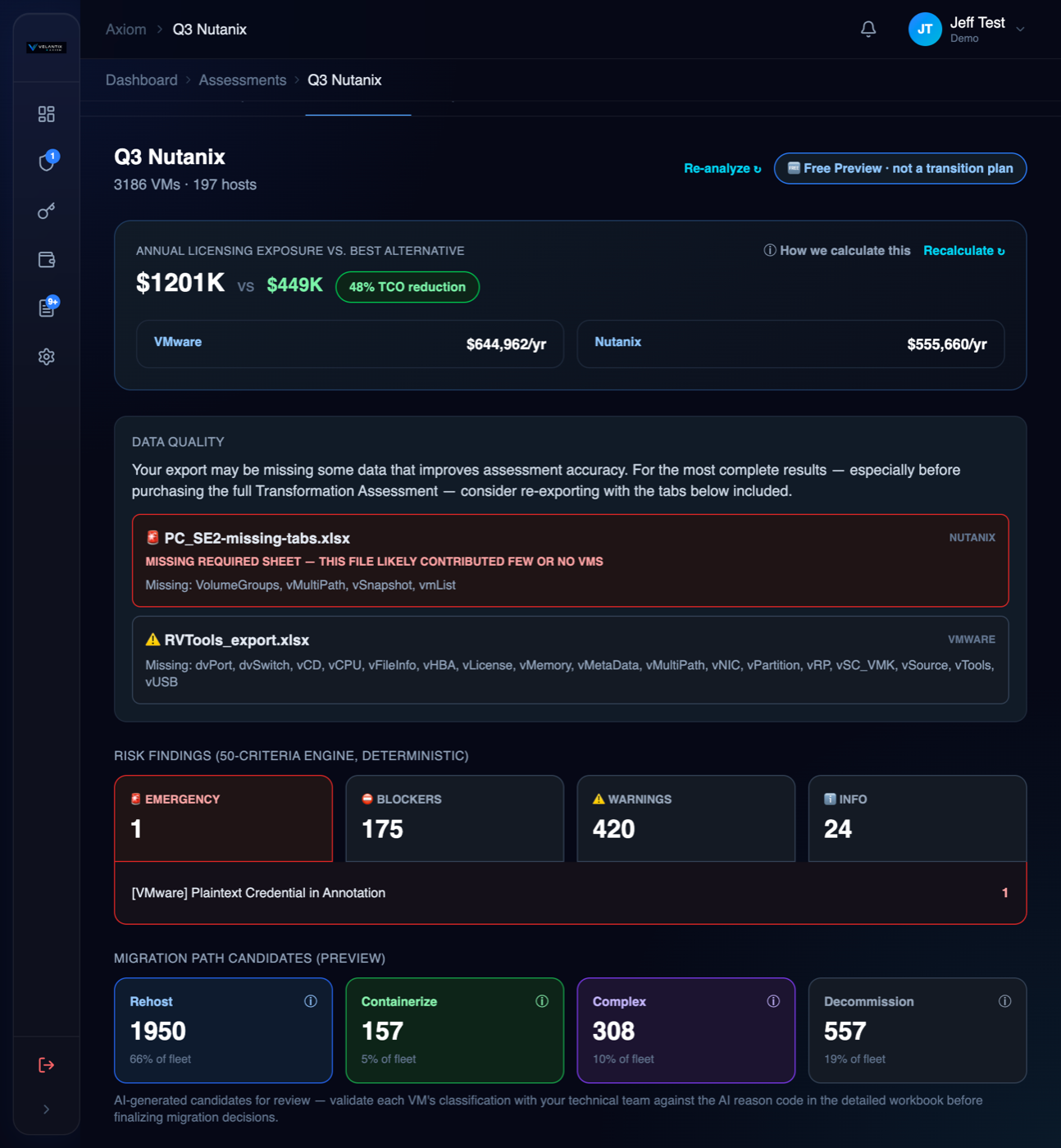
Annual exposure, data quality, and 50-criteria risk — one screen.
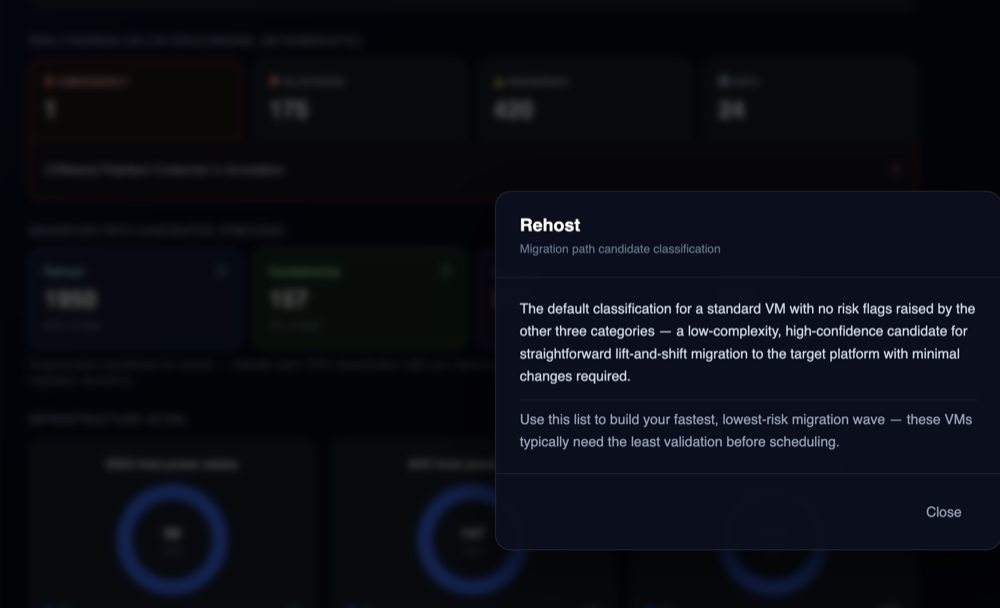
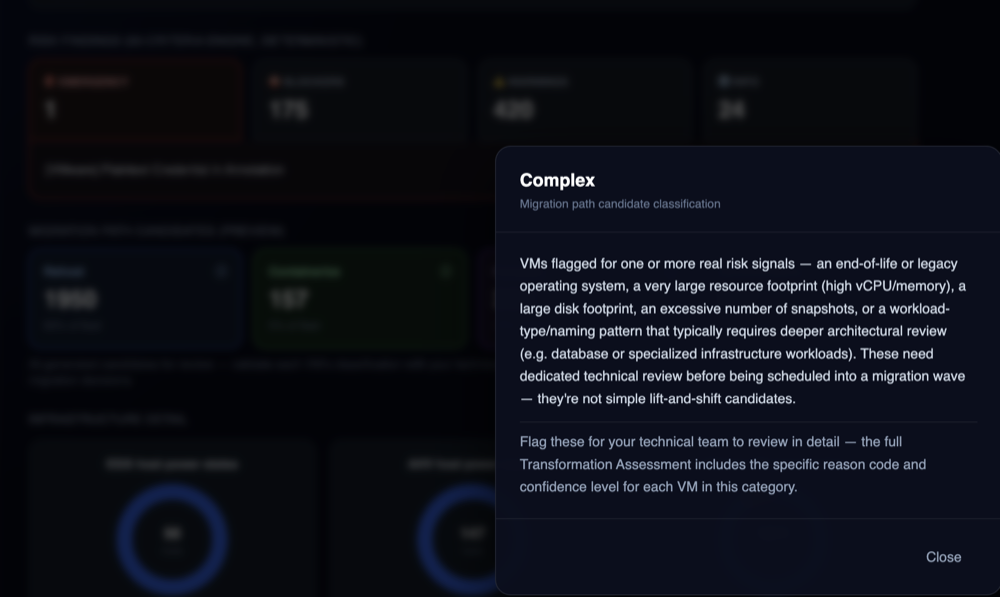
See your annual licensing exposure against a modeled best alternative, with the assumptions behind the number one click away. The Data Quality box calls out exactly which required sheet is missing from which file — here, a Nutanix export missing its vmList tab is flagged by name, instead of silently being misread as a different platform. Below it, the 50-criteria risk engine breaks findings into Emergency, Blocking, Warning, and Info severity, and the Migration Path Candidates preview shows Rehost / Containerize / Complex / Decommission splits with an info popup explaining what each bucket means.
Example — click any classification to see what it means
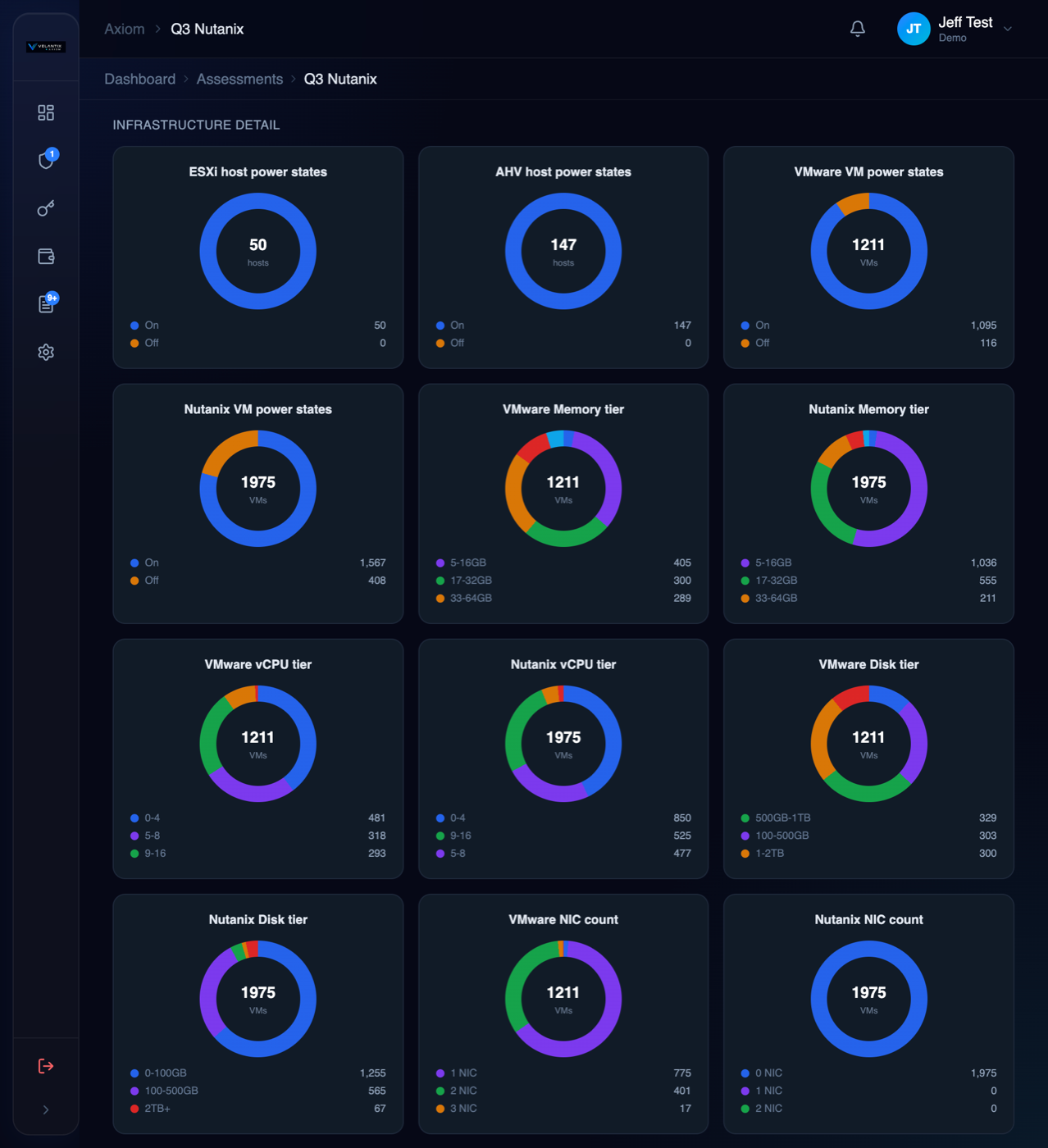
VMware and Nutanix, shown side by side — never blended.
A mixed estate's ESXi and AHV hosts get their own power-state charts, and VM-level memory, vCPU, disk, and NIC tier distributions are broken out per platform. That matters: average a dual-platform estate together and the picture gets dominated by whichever platform happens to have more VMs. Axiom never does that silently — if it's a mixed estate, you see both platforms, clearly labeled, every time.
Current vs. recommended capacity, plus Nutanix replication risk.
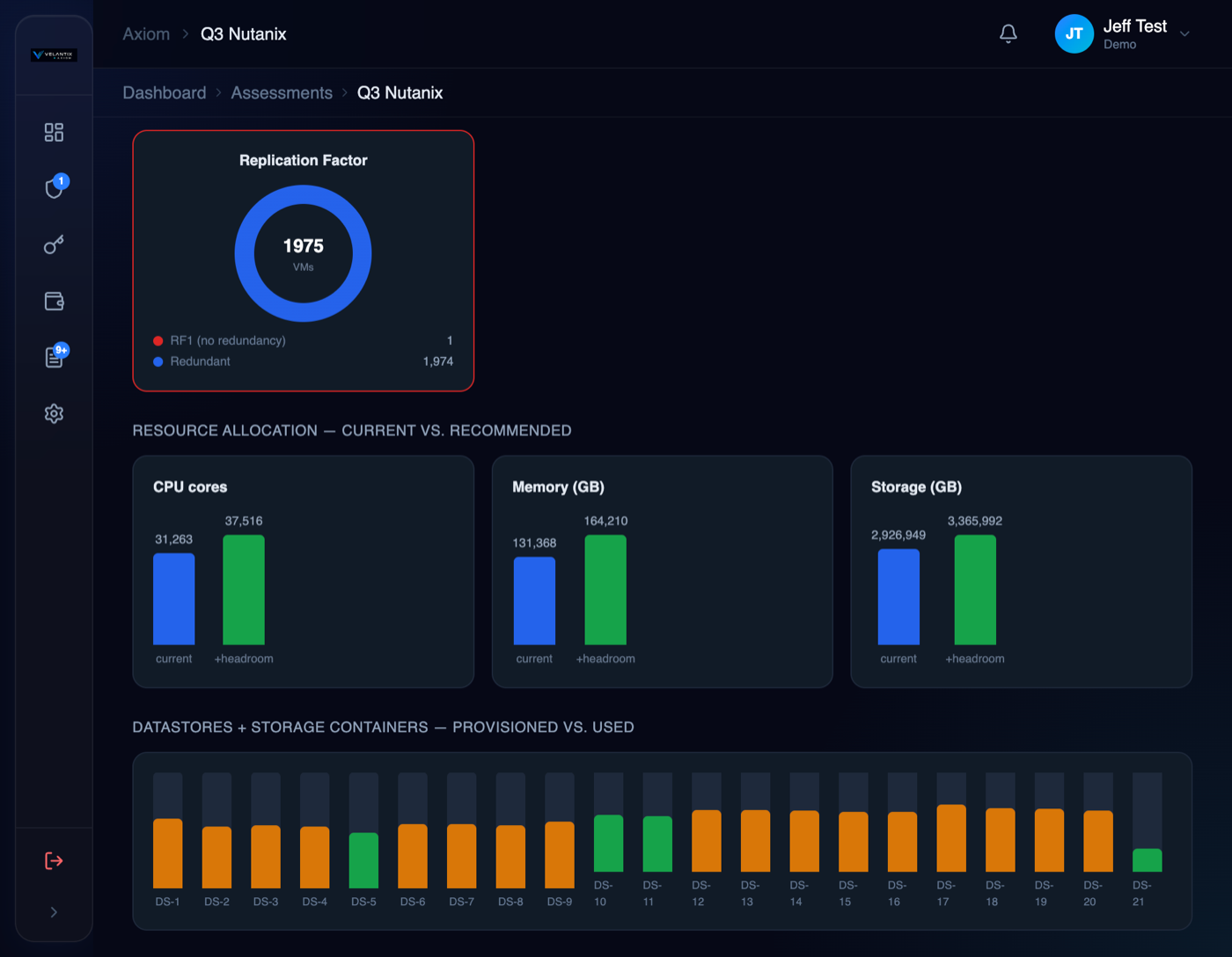
CPU, memory, and storage are shown current vs. recommended, with headroom built into the target so you're not sizing a destination platform to today's peak. Datastores and Nutanix storage containers are shown provisioned vs. used, flagged by utilization severity. For Nutanix estates, Axiom also checks Replication Factor directly — flagging any VM running RF1 (no redundancy) before it becomes a production incident.
Know what's end-of-life — and get an executive narrative for free.
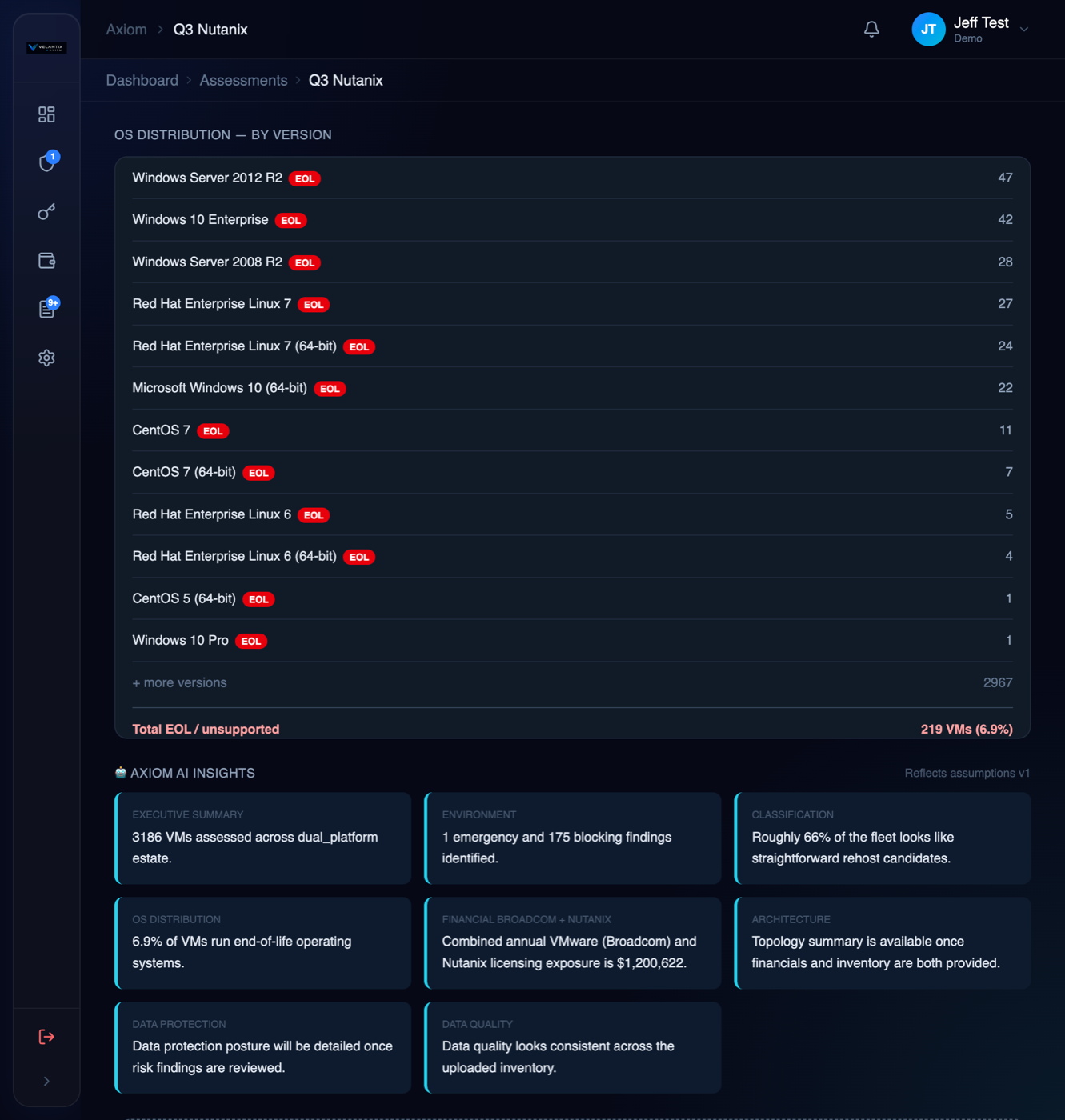
Every OS version in your estate is checked against end-of-life status, rolled up into a single exposure percentage. Axiom AI Insights then turns the aggregate picture — VM counts, risk totals, classification mix, licensing exposure — into short, board-ready narrative cards. No VM-level detail is ever sent to the AI model: only the aggregate counts you see on screen.
A real preview — not a transition plan.
The Free Exposure Dashboard is directional by design. When you're ready to act, the full Transformation Assessment validates every number against expert review.
Exposure Dashboard
Transformation Assessment
From request to Dashboard in four steps.
Request Access
Go to portal.velantixaxiom.com and click "Request Access" on the login screen. Verify your email, and once approved you'll receive a secure password setup link.
Create an Assessment
Log in and create a new assessment, then fill out the basic details for your VMware or Nutanix estate.
Upload Your Export
Upload your RVTools (VMware) export, your Nutanix Collector export, or both — the Data Quality check tells you immediately if anything required is missing.
Open the Dashboard & Analyze
Go to the Dashboard tab and click Analyze. Your licensing exposure, risk findings, and migration path preview are ready in minutes.
Upload your export. Get your Dashboard in minutes.
RVTools (VMware) or Nutanix Collector export — same engines, same risk checks, same data quality validation shown above.